
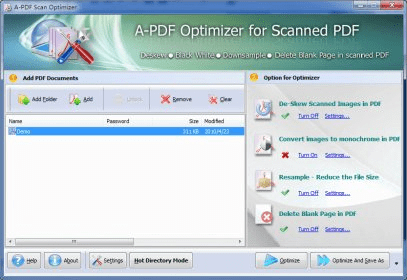
A-PDF Scan Optimizer has been designed to improve your scanned PDF files so that they can be easily transmitted through the Internet and easily downloaded and viewed by Internet users. To achieve that, this tool can reduce the size of a PDF file by transforming heavy color illustrations into monochrome or high-quality grayscale images, by resampling the scanned pages, or by compressing the PDF file, among other techniques.
The conversion to monochrome has different levels, from “terrible quality” (known as “Threshold”) to good-quality grayscale, depending on the importance of those images in your PDF file. In most cases, it is the resampling of the whole file that gives you the best results when it comes to downsizing your files. This process can be done using any of the built-in resample filters, and may be customized when it comes to the method. The parameters refer to the DPI, the scale of the file, or its width and height. Any of these allows for different settings that will render different results, depending on how aggressive your want your downsizing to be. Getting rid of blank pages is also a way of reducing the file weight – for blank pages with stains or useless text, you will need to adjust the recognition parameters of the program.
Finally, and to make your PDF look better, A-PDF Scan Optimizer can also get rid of almost any degree of skewing that the pages in your PDF file may have due to faulty positioning of the paper during the scanning process. However, use this tool with caution, as it may skew the content of pages that did not really need any deskewing at all (as it happened for me when I was processing the demo PDF that came with the program).
I found this to be a highly useful tool, especially when transmission times and browsing speed are the absolute priority.






Comments